Free on FAB
Unreal Engine 5 music manager
Easy Music Manager is a free Blueprint music system for Unreal Engine 5.5 to 5.8. Background music playlists, requested tracks and tunable transitions, all configured from one DataTable. No C++ and no middleware.
Background music in UE5, without writing code
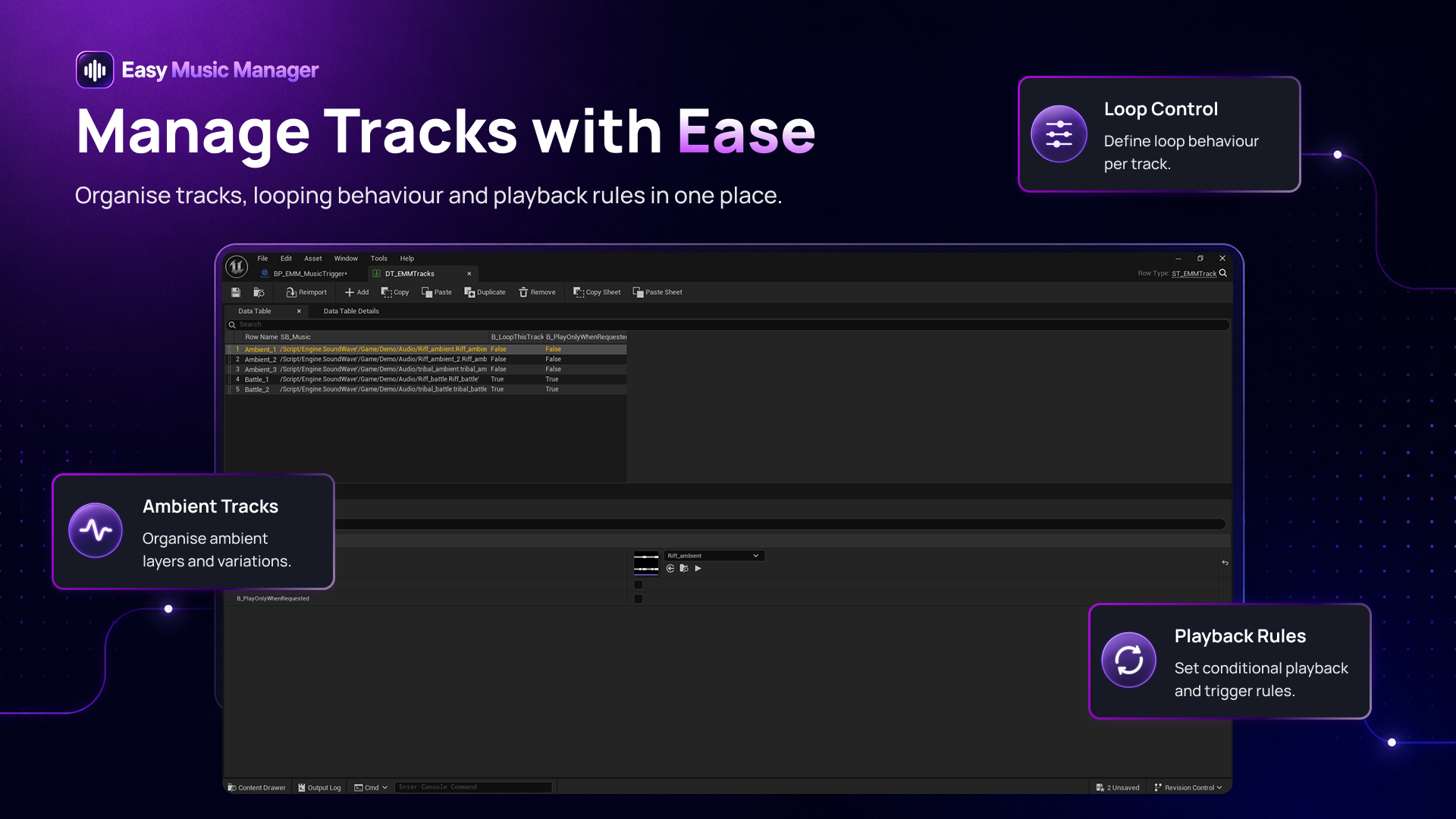
Most projects end up with music logic spread across a dozen Blueprints. This puts every track and its settings in one DataTable instead. You add a song by adding a row.
Set up a game soundtrack in minutes
- One row per track, each with its own settings
- Place one manager Blueprint in the level and press Play
- The manager reads every row when the level begins, so there is no track count to maintain
- Blueprint only, no C++ required
Music playlists that play in order or shuffle
Sequential playback
Your soundtrack plays through in the order the rows sit in the DataTable.
Random without repeats
Random mode will not repeat a track until the cycle finishes, so a short playlist still feels varied.
Optional first track
Open a level on a specific piece, then hand over to random selection from there.
Looping per track
Looping is set on the track row inside the manager, so you are not fighting import settings on individual audio assets.
Requested tracks
Combat music, a boss room, a scripted beat. These sit outside the rotation and play only when something asks for them.
Automatic hand-back
When the moment is over, the manager returns to your ambient rotation and picks the next valid track.
Change the music when the player enters an area
Drop a music trigger volume where the music should change and pick a track from the DataTable. The system switches while the player is inside it, then returns to ambient music when they leave. The trigger carries its own transition timings, separate from the manager's.
Crossfade, cut, or fade out then fade in
Three transition modes, with fade-in time, fade-out time and the gap between tracks all yours to set. Change them later without rebuilding your music setup.
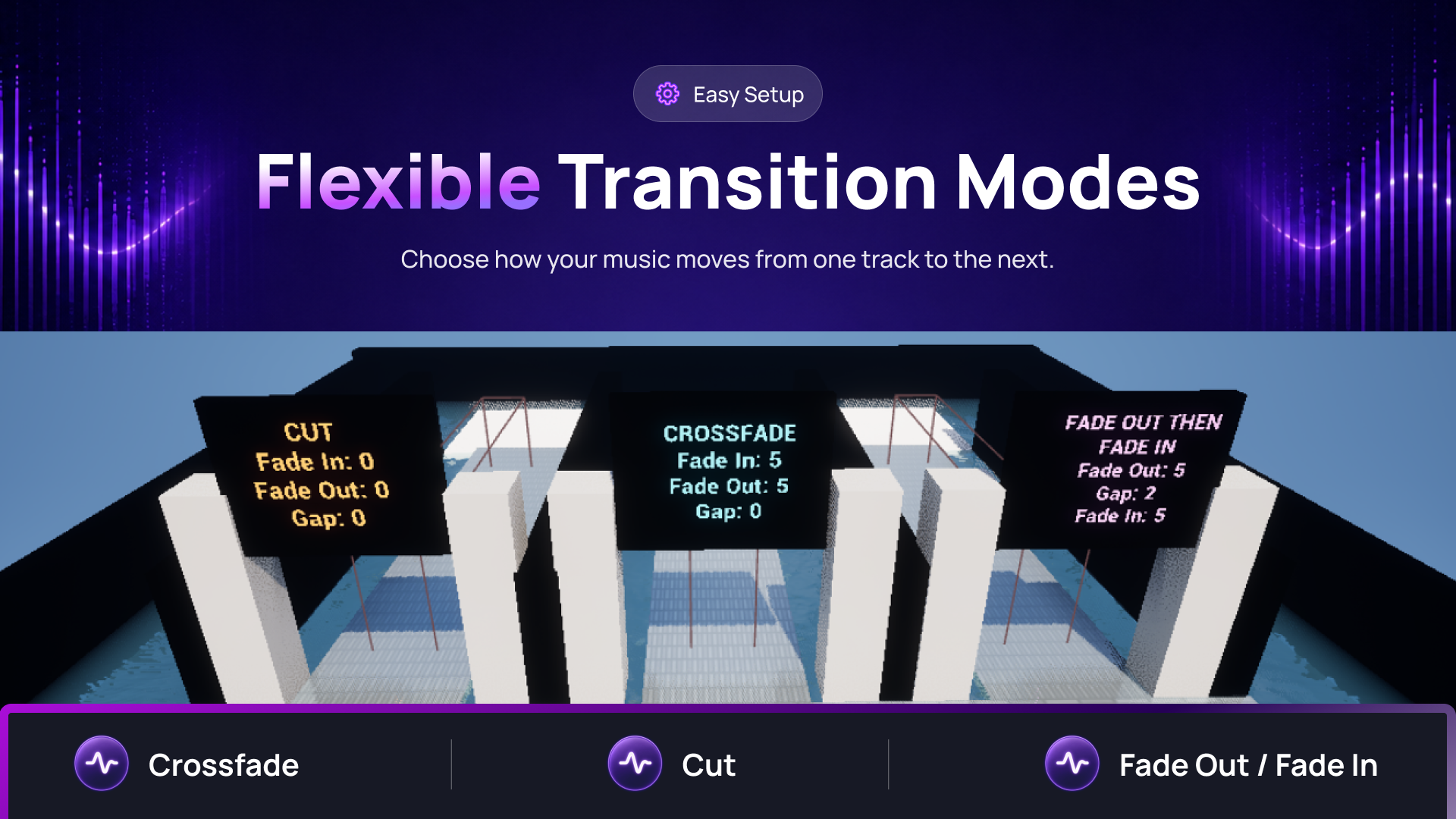
- Crossfade: the previous track fades out while the new one fades in
- Cut: stops the previous track and starts the new one immediately
- Fade out then fade in: the previous track fades out, an optional pause runs, then the new track begins
- A demo map ships with it that plays each mode, so you can hear the difference before you pick one
Questions
Before you download
- How do I add background music to an Unreal Engine 5 game?
- Add a row to the DataTable for each track, place one manager Blueprint in your level, and enable Play On Start. No code.
- Can it shuffle music without repeating the same track?
- Yes. Random mode will not repeat a track until every ambient track in the cycle has played.
- Which Unreal Engine versions does it support?
- Builds for Unreal Engine 5.5, 5.6, 5.7 and 5.8, on Windows, Mac and Linux.
- Does it need C++ or middleware?
- Neither. It is Blueprint only, with no C++ and no Wwise or FMOD dependency.
- What does it cost?
- Nothing. It is free on FAB.